
Settings
Customizing Color Scheme
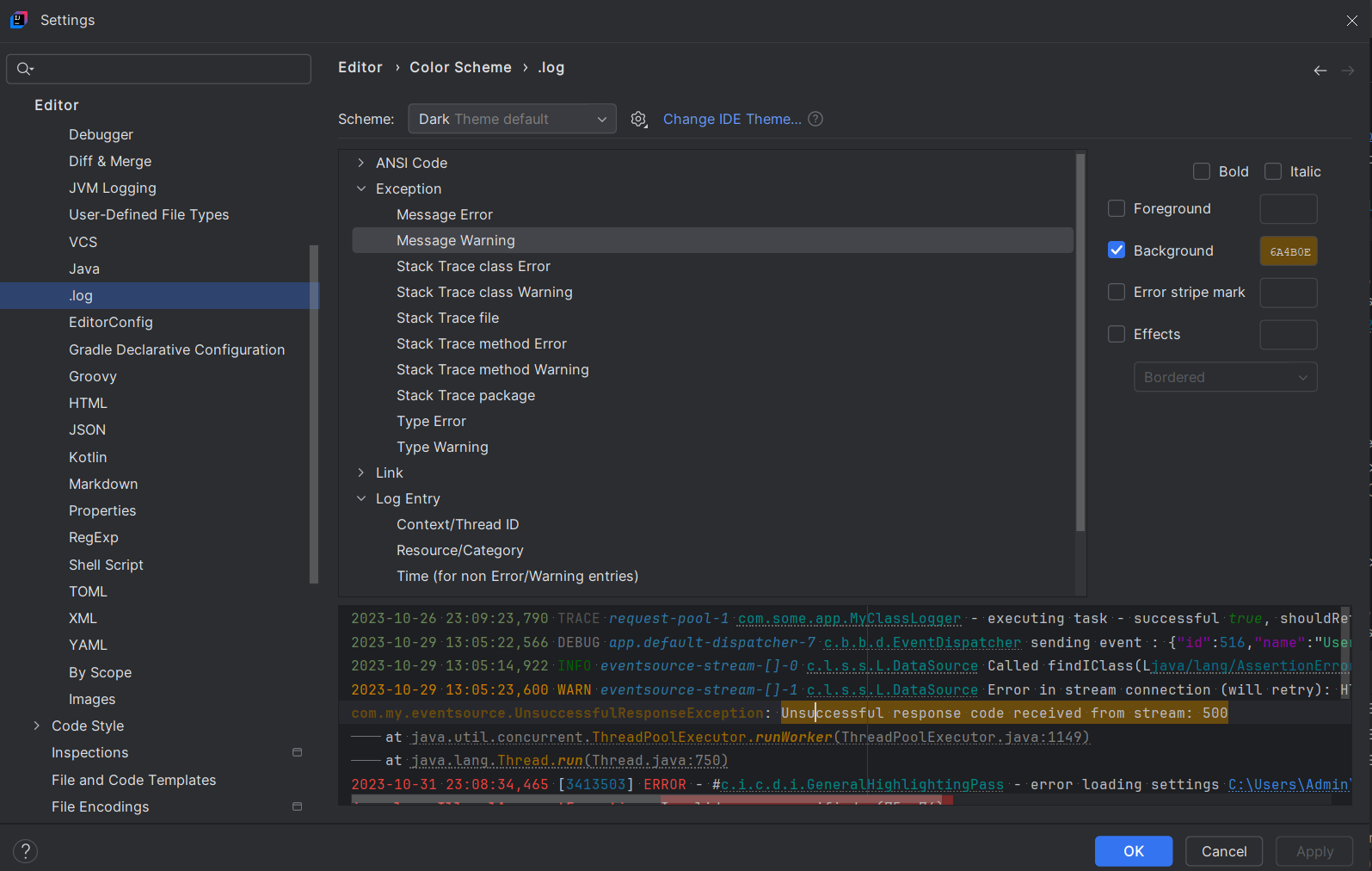
Syntax highlighting Color Scheme of files opened with .log plugin can be customized to match any personal preferences. To set custom colors/styles for log file elements (i.e. timestamps, log levels, message constructs):
- Open the Color Scheme Settings:
- Navigate to Settings > Editor > Color Scheme > File Types.
- Select Log Files from the list of file types.
- Adjust Specific Colors for Log Elements:
- In the Logs color scheme settings, you’ll see options for various log elements such as:
- Log Levels (e.g., INFO, WARN, ERROR)
- Timestamps, Category, Context id…
- ANSI Color Codes (foreground & background color only)
- For each element foreground, background and font style (bold, italic, underline) can be customized. For ANSI codes only foreground and background colors are relevant.
- Click Apply and OK to save your changes. Changes will apply immediately.
- In the Logs color scheme settings, you’ll see options for various log elements such as:
File Type Association
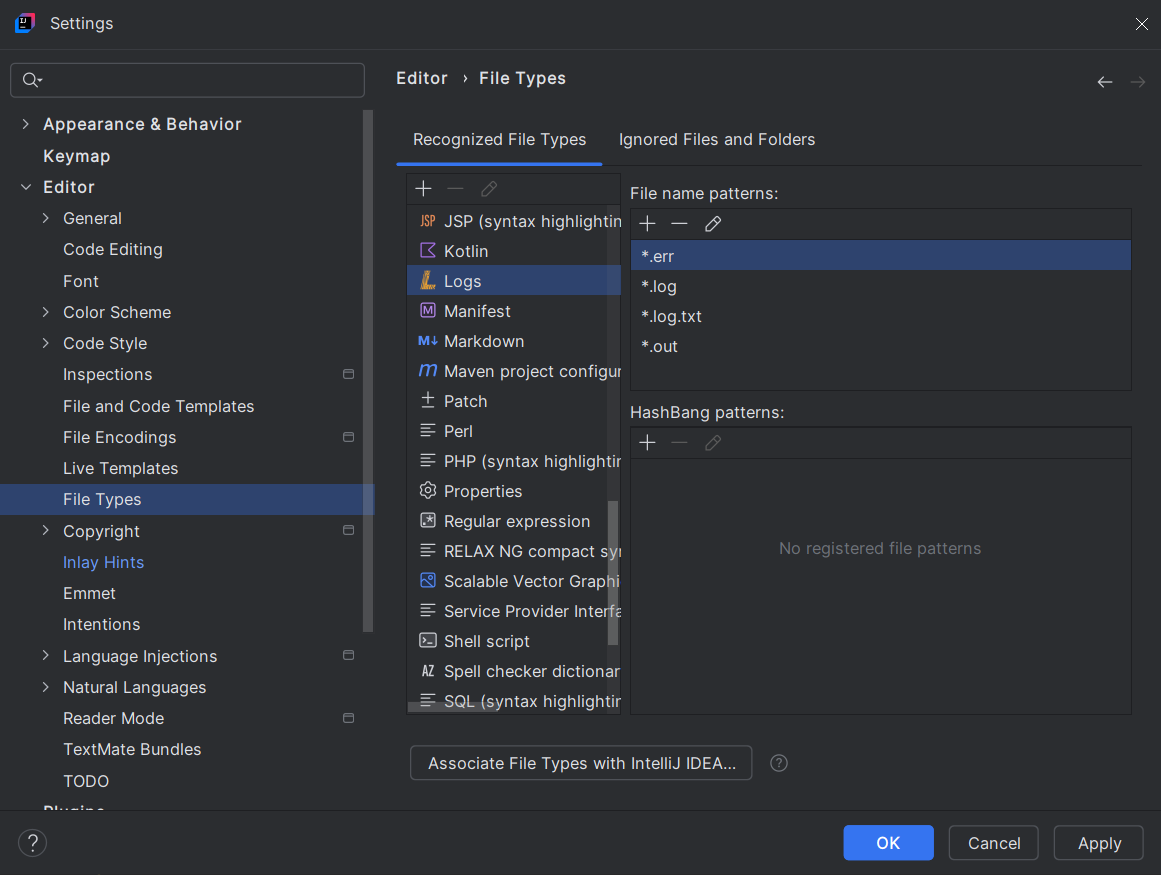
By default, .log plugin configured to support log file name patterns: *.log;*.err;*.out;*.log.txt.
To associate additional log file name patterns, to be viewed by .log plugin, update File Type Settings:
- Find Action dialog (
⌘+⇧+A | Ctrl+⇧+A) → Search: File Types (or alternatively, Settings (⌘+, | Ctrl+Alt+S) → File Types) - Under Recognized File Types → Logs → add file name patterns
File Size Thresholds
To ensure responsive performance, JetBrains IDE has a file size threshold for in-memory content loading.
When a log file exceeds this threshold (default 20 MB), it is opened as a Large File with pagination and large-file view optimization. The file is read-only in this mode. Text search may be slower while disk I/O is performed.
Note: Problem inspections are not supported for log files opened as Large Files. See Navigation - Problem Inspections for details.
Note: If performance issues are encountered, please report the details including file size, typical log line length, typical log snippet and preferably also host CPU/memory specs.
ANSI Escape Codes
When a log file contains ANSI escape codes, .log plugin applies text styling according to those codes and hides the raw escape sequences for a cleaner view. Files opened with ANSI styling are read-only.